
Pinpoint
Visual feedback for websites in review. One line of code lets a client click any part of their site and leave a note, and every note lands in one admin, pinned to the exact spot.
At a glance
- Ask what the note is, not how urgent it is
- Notes have to find their element again
- Stay out of the client's site
The question
Client feedback on a website usually arrives as a long email with screenshots and phrases like "the button near the top". Could the client just point at the thing, on the real site, and leave the note right there?
What I built
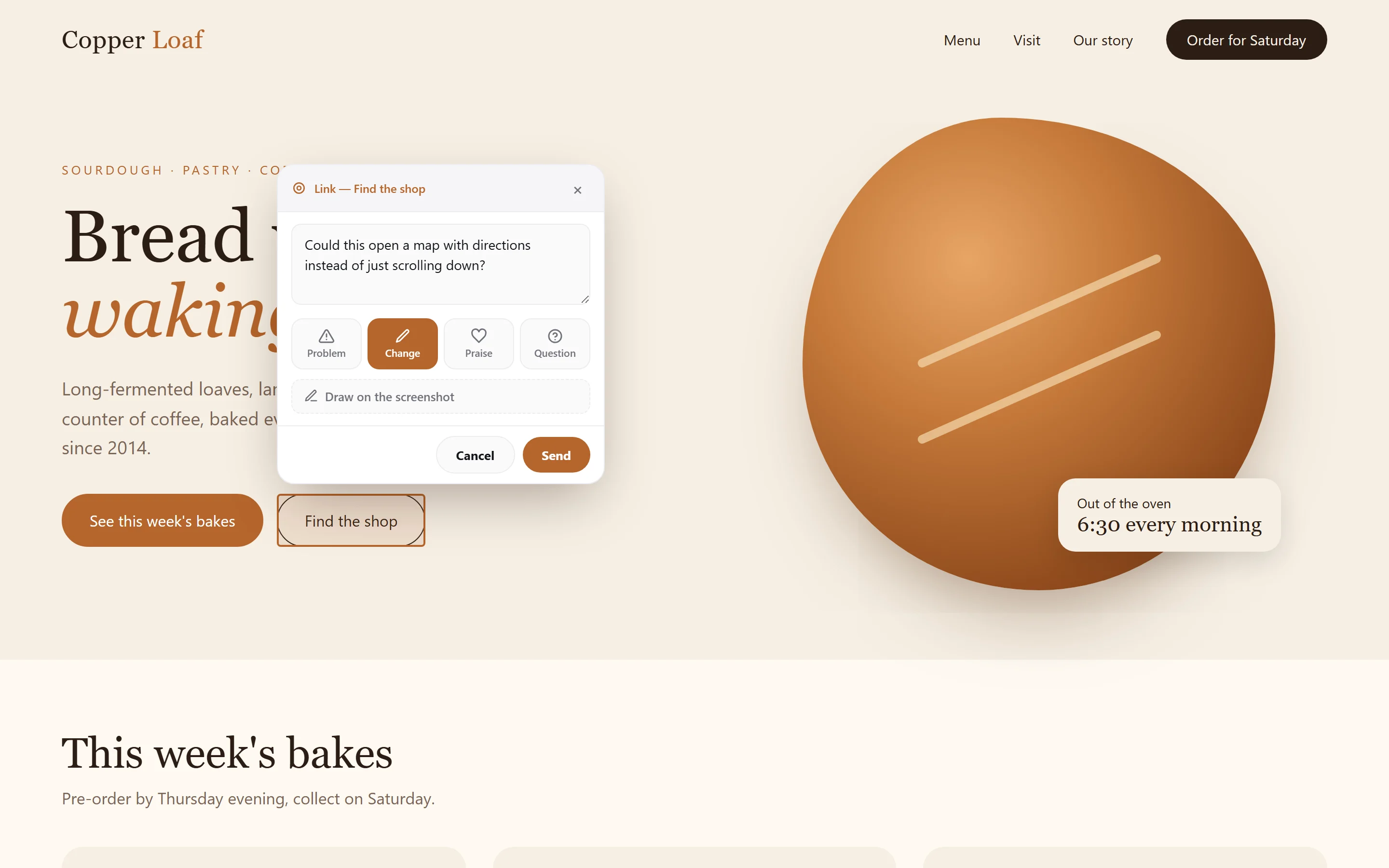
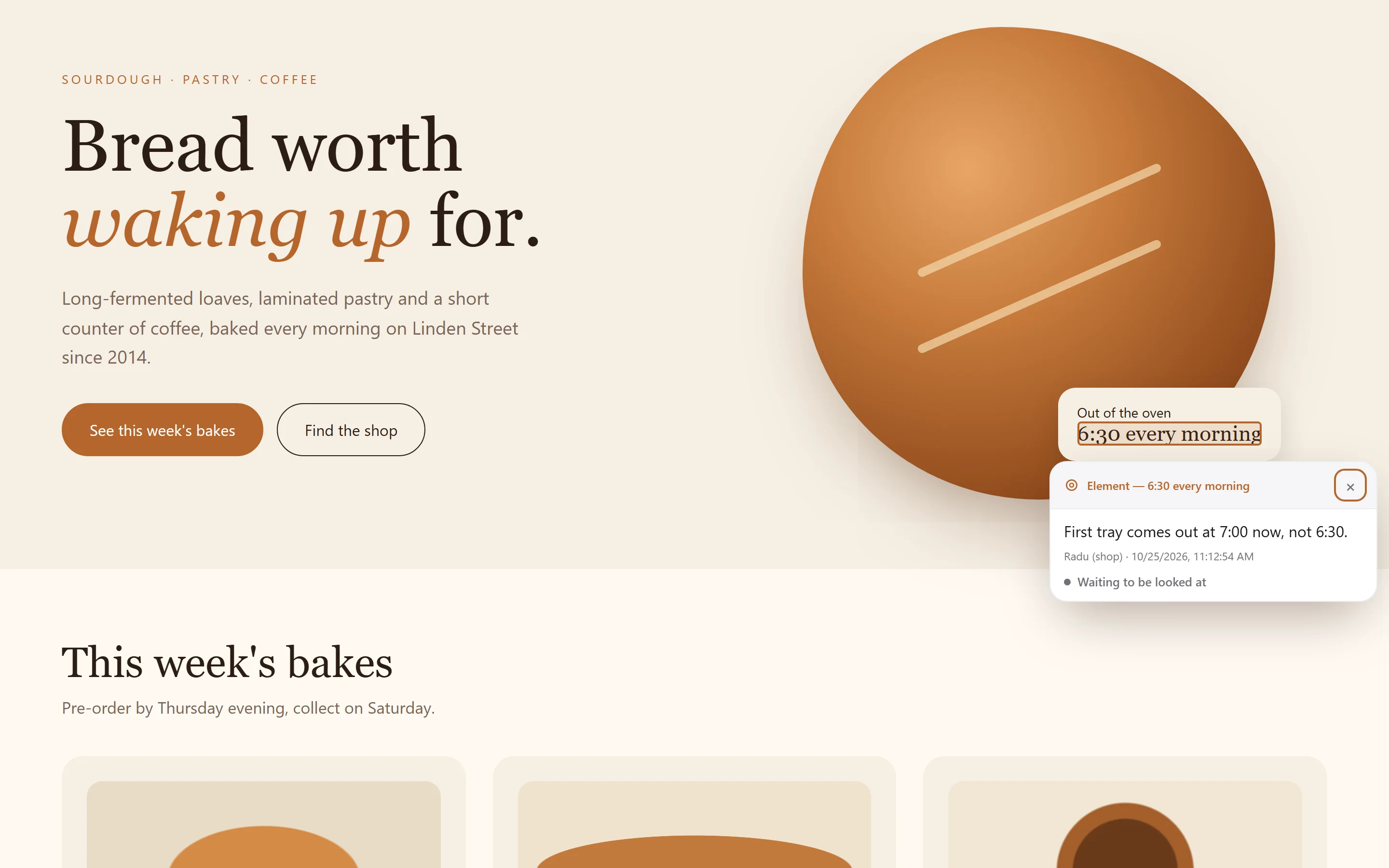
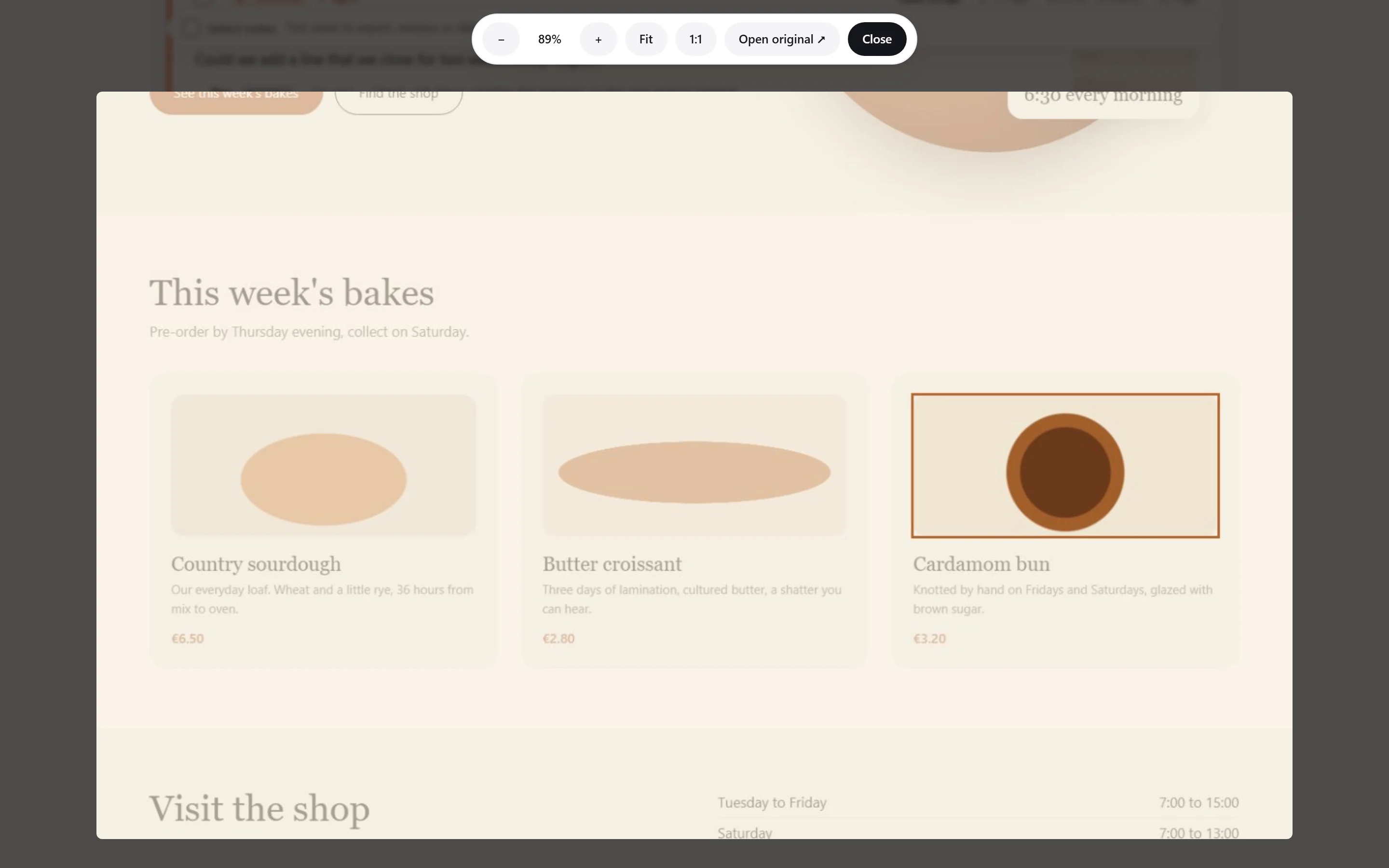
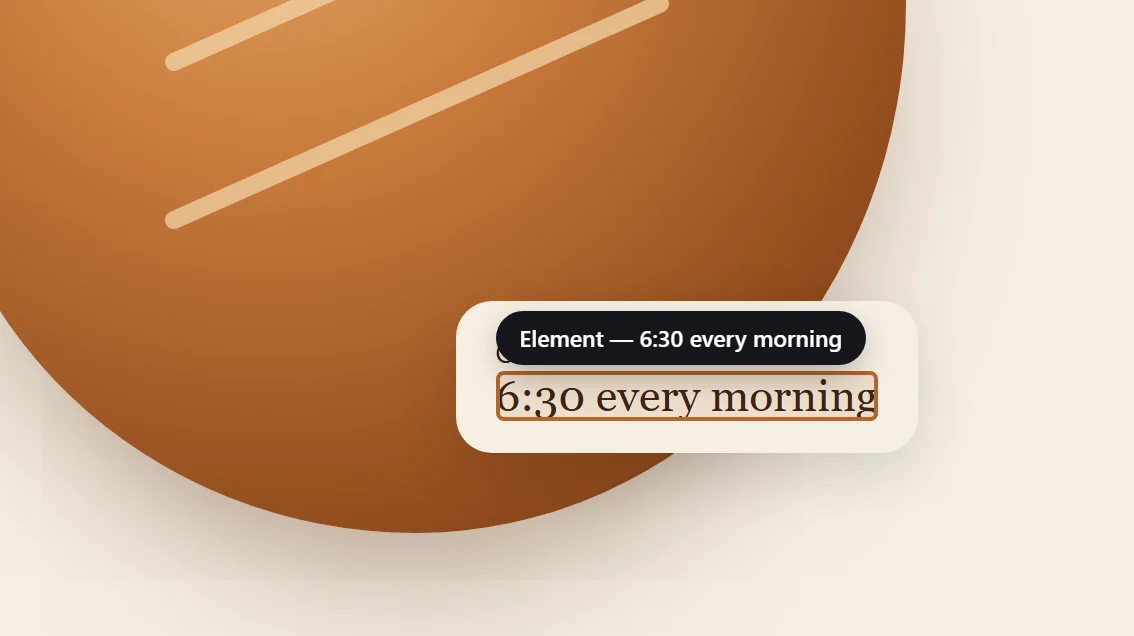
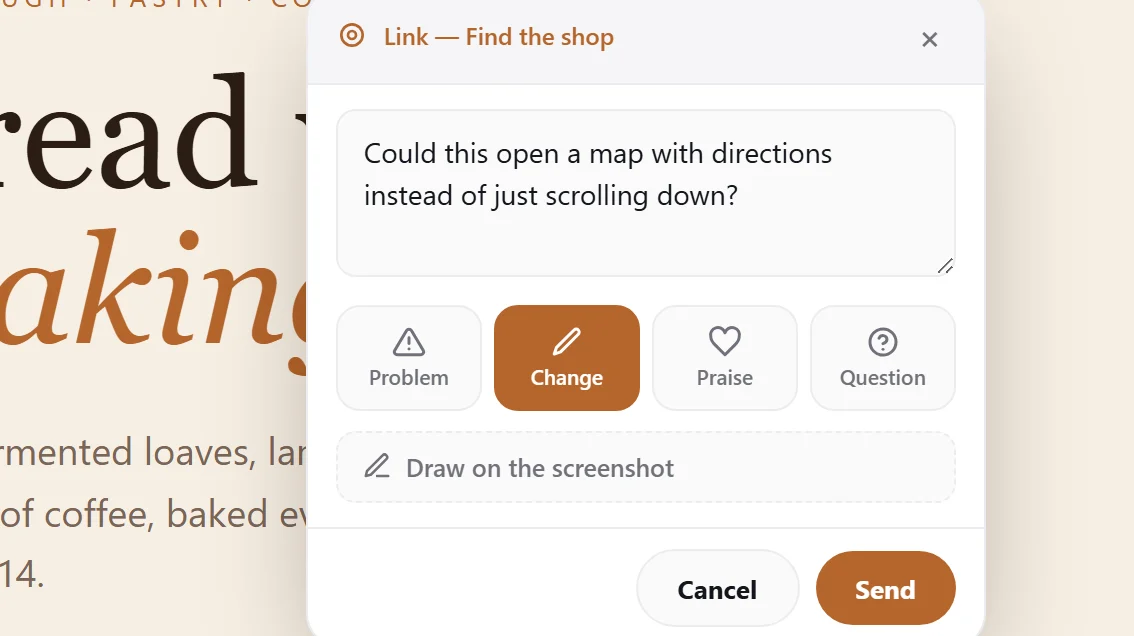
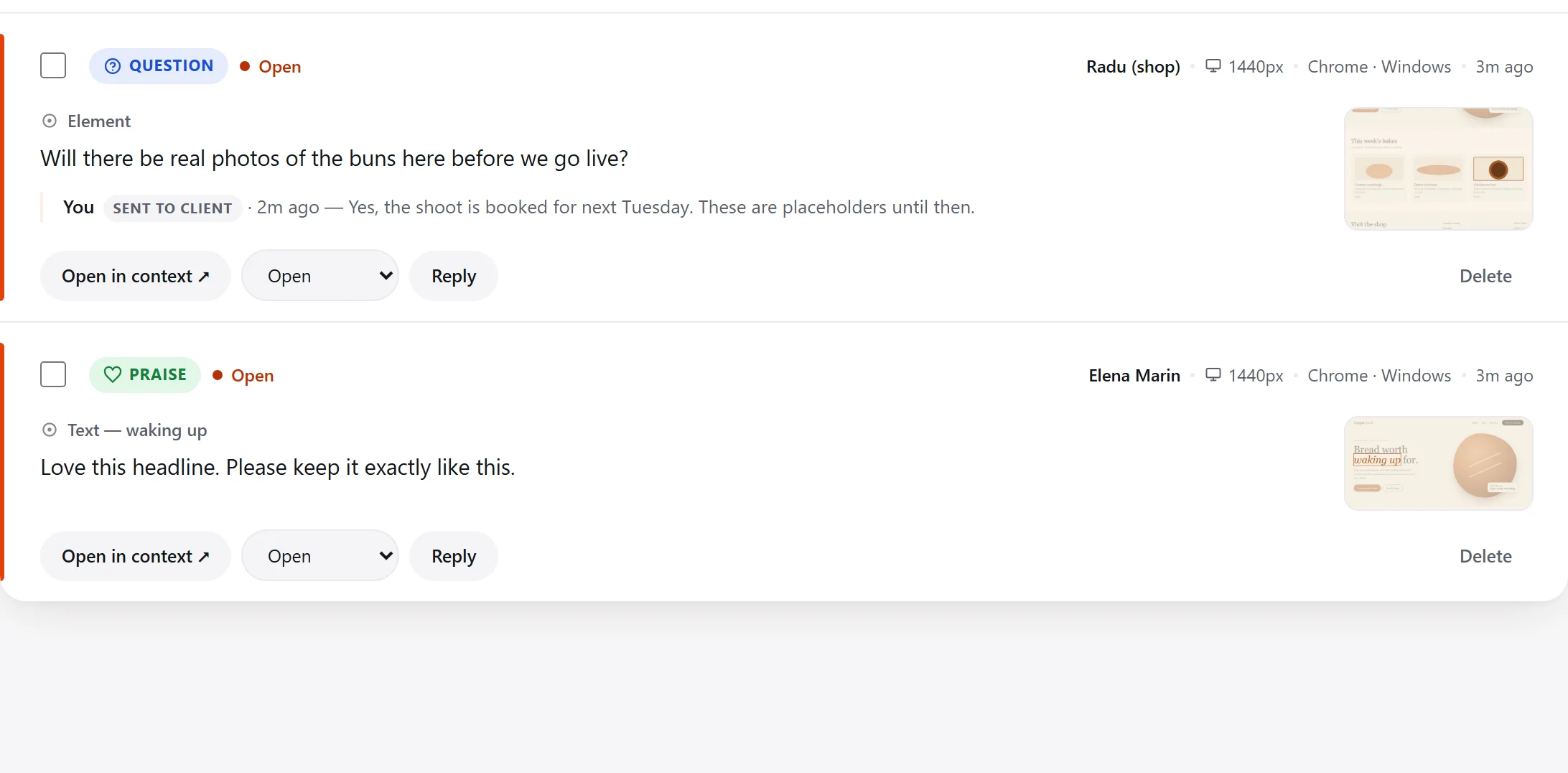
A small widget the client sees as a bubble in the corner of their staging site. They choose Add a note, click the element, say whether it's a problem, a change, praise or a question, and send. The widget attaches a screenshot and the browser details on its own.
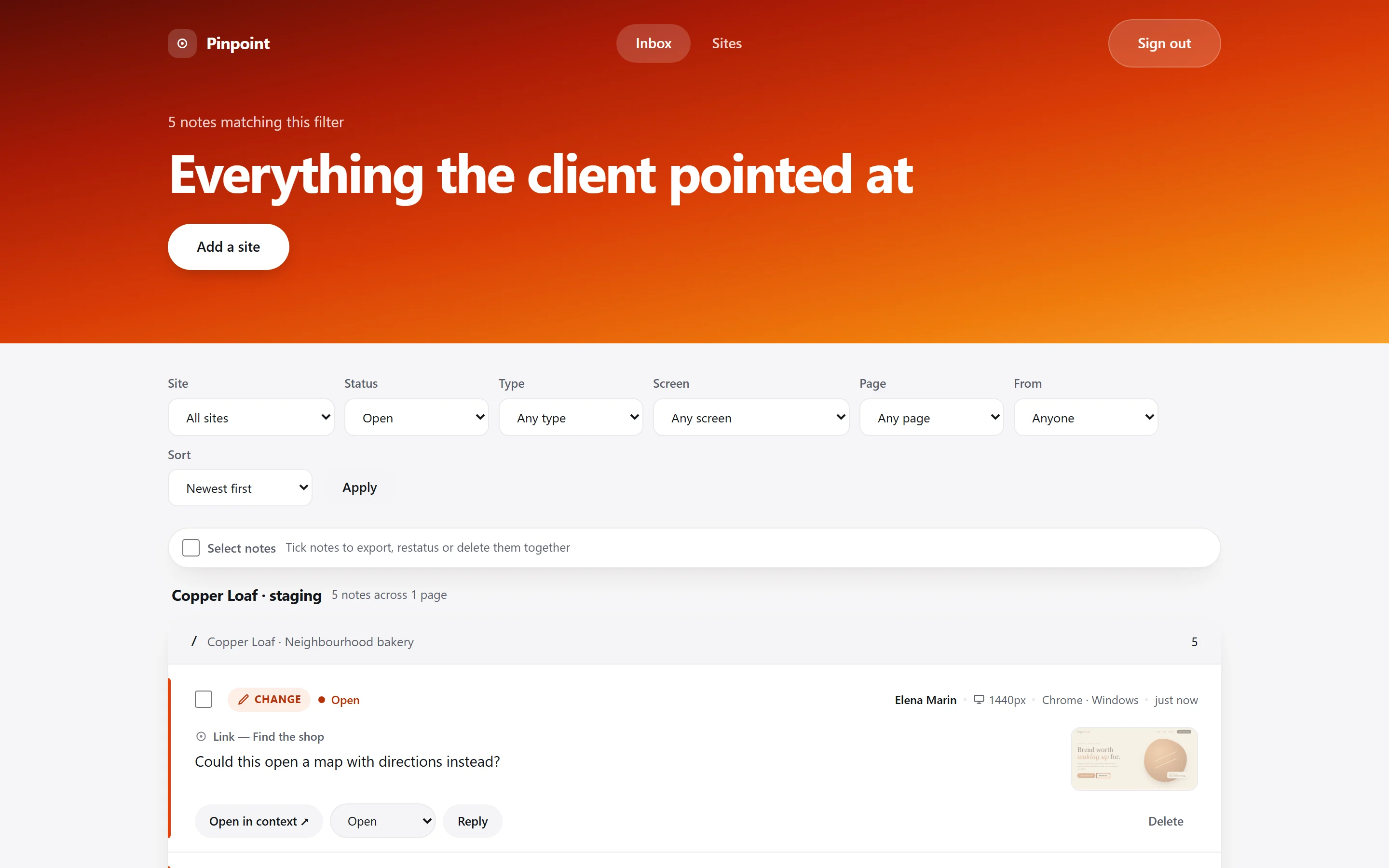
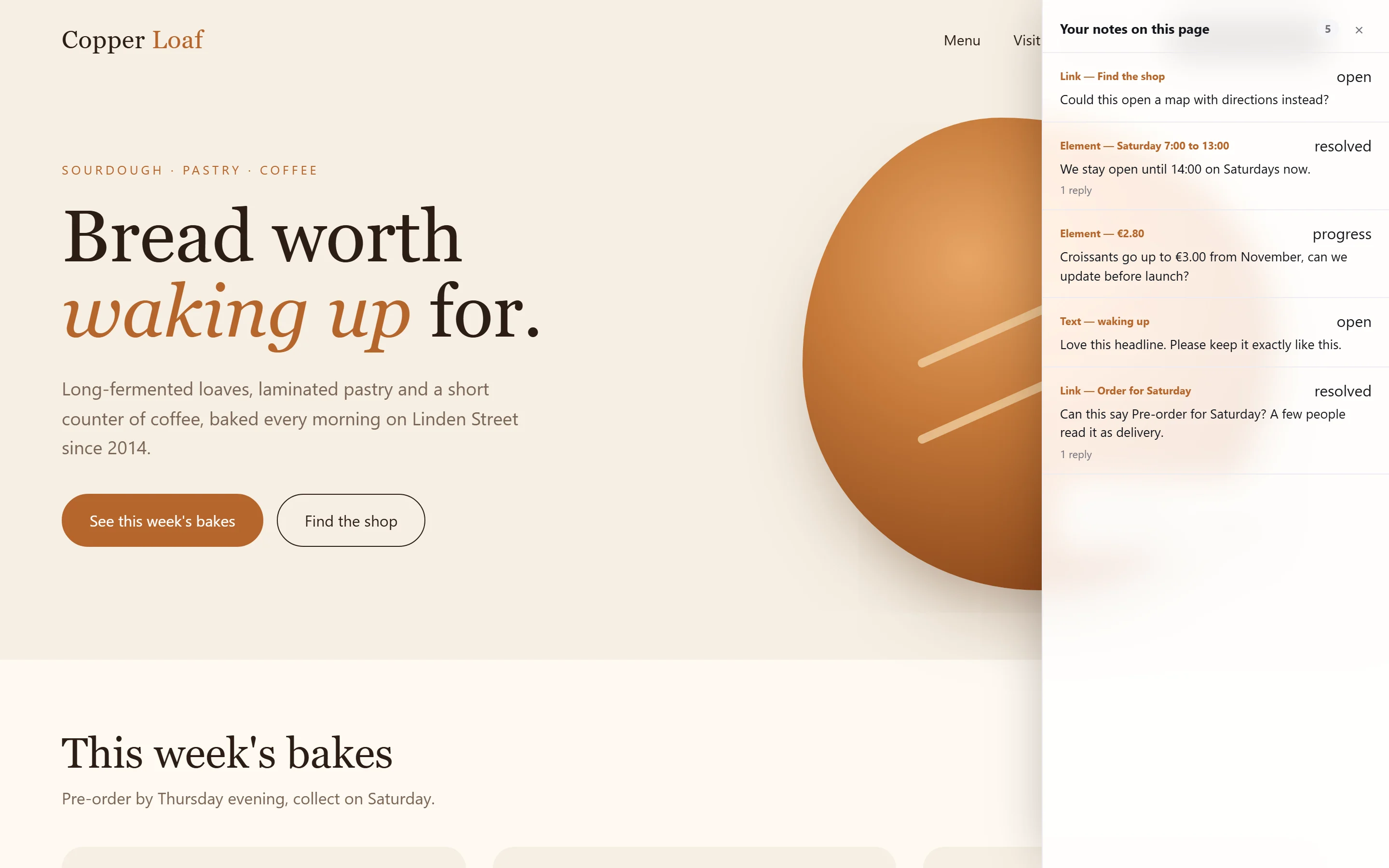
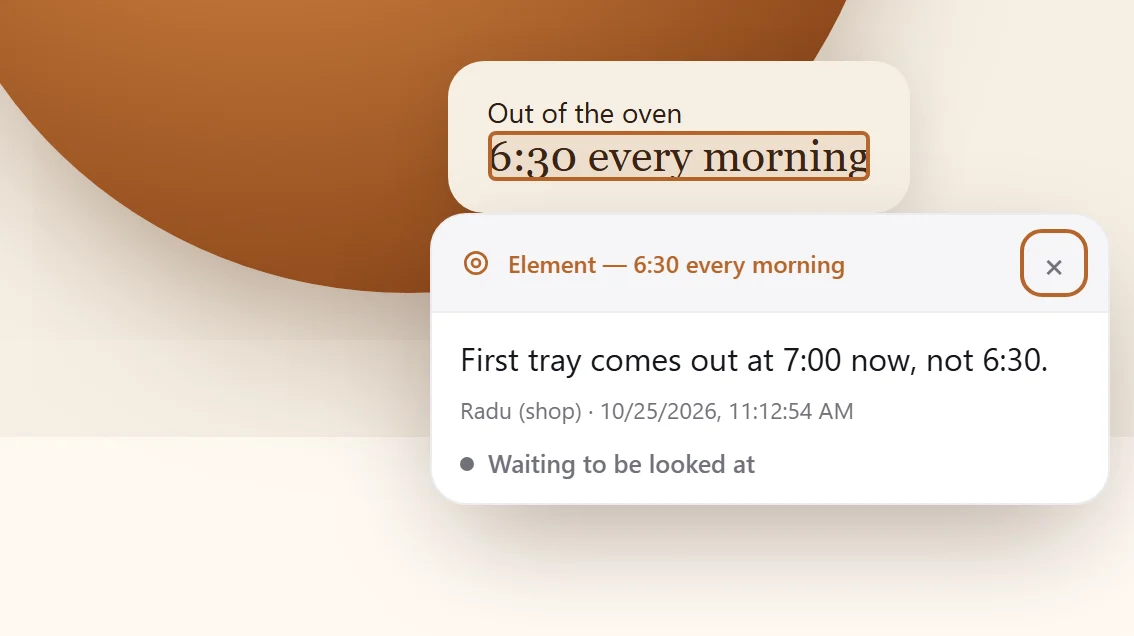
On my side, a password-protected admin collects every note per site and per page. Each one has an Open in context link that reopens the live page with that element highlighted. I can reply to the client or keep a note private, mark it in progress or resolved, and close a review round so the client signs it off.
Inside
How it looks in use.
- Role
- Sole designer, developer and owner
- Built with
- Next.js, Postgres, a dependency-free embed script
- Runs
- On Vercel, embedded on any client site
- Status
- Released
Up close
The details that carry it.
Decisions that mattered
- Ask what the note is, not how urgent it isAn early version asked clients to grade importance, which turned every note into a negotiation. Problem, change, praise or question is something they always know.
- Notes have to find their element againEach note stores several fingerprints of what was clicked. If a redesign moves things too far, the note is marked as lost rather than confidently pointing at the wrong thing.
- Stay out of the client's siteThe widget is one script tag, draws inside its own isolated layer, and does nothing until the bubble is clicked, so it can't break the page it is reviewing.
What I learned
The hard part wasn't capturing feedback, it was closing the loop. Replies the client can see, and a sign-off at the end of each round, mattered more than any extra way to leave a note.
Something similar in mind?