
EventCanvas
A visual run-of-show for event planners and designers: one timeline across many days and many rooms. Everything at once, or exactly the slice you need.
At a glance
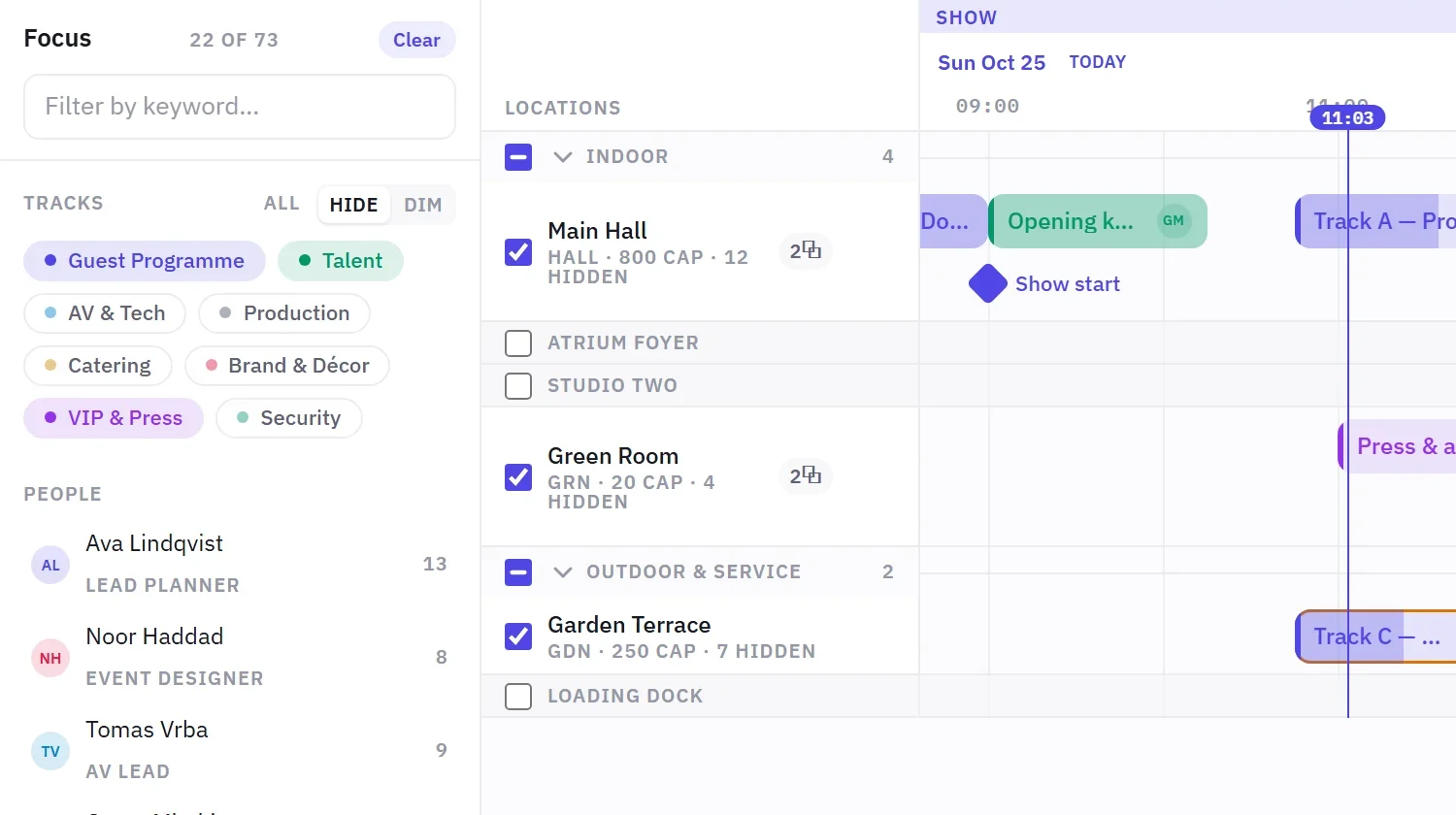
- Hide a room without losing it
- Filters are a link
- A quiet canvas
The question
A multi-day event usually lives in a spreadsheet per day and a floor plan per room, and nobody can see load-in, rehearsal, show and strike in one place. What if the whole event sat on one canvas you could read, edit and narrow down without losing your place?
What I built
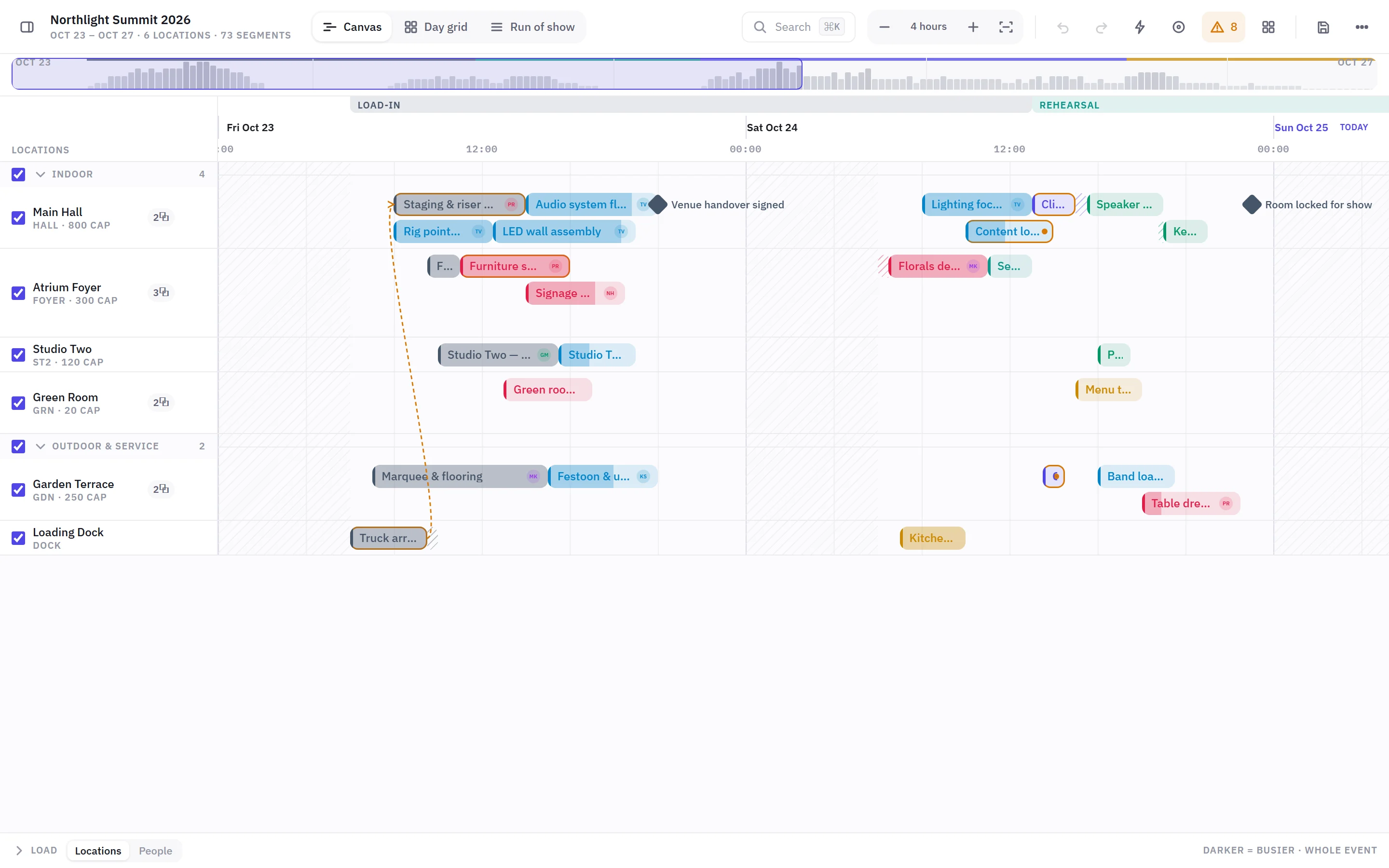
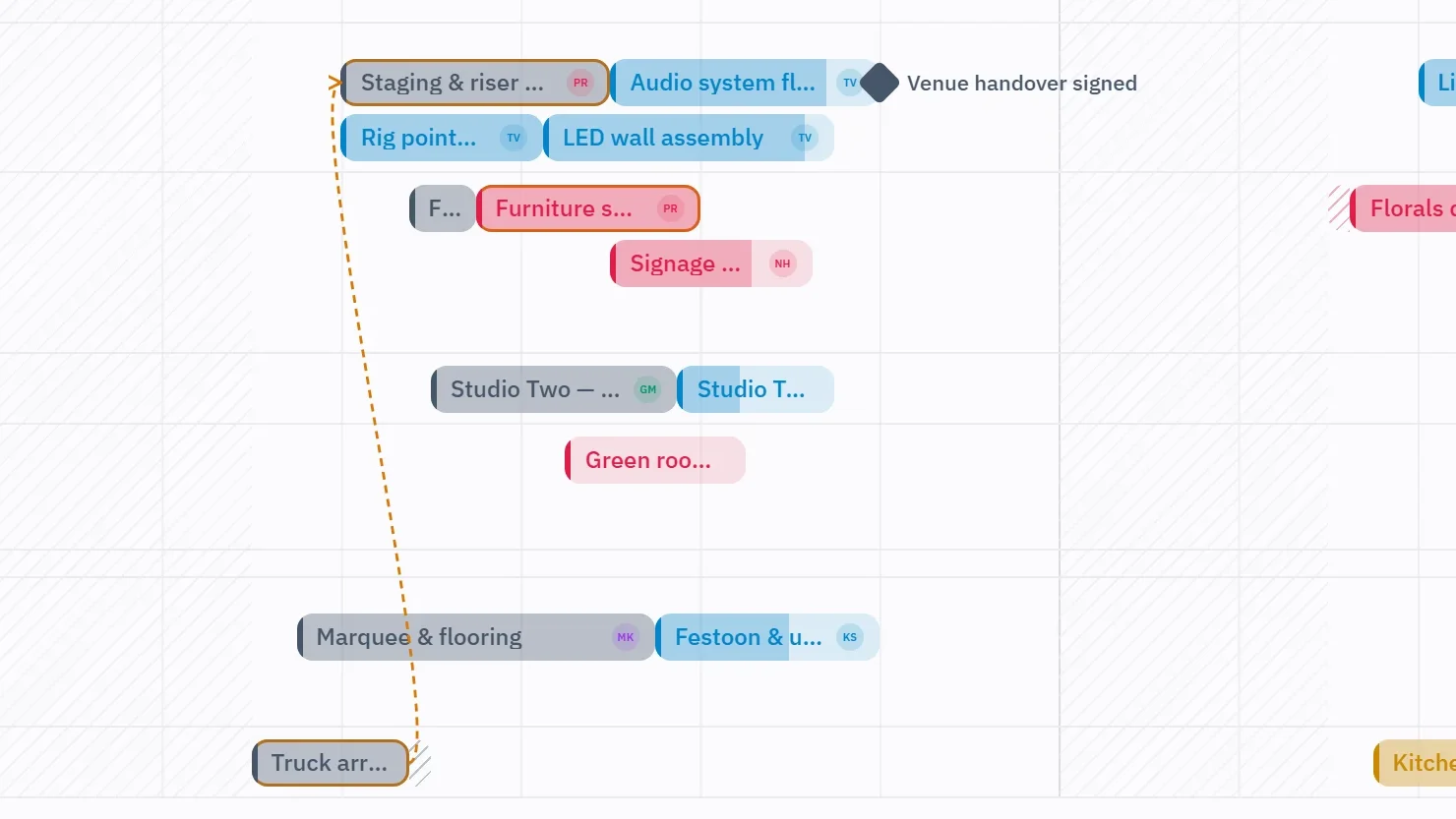
A canvas where rows are locations and columns are continuous time, with days as separators on one axis. Overlapping items stack inside a lane, so two things in one room are visible instead of hidden. You draw a segment by dragging across empty time, move it by dragging, including down into another room, and edges snap to neighbours, day boundaries and phases.
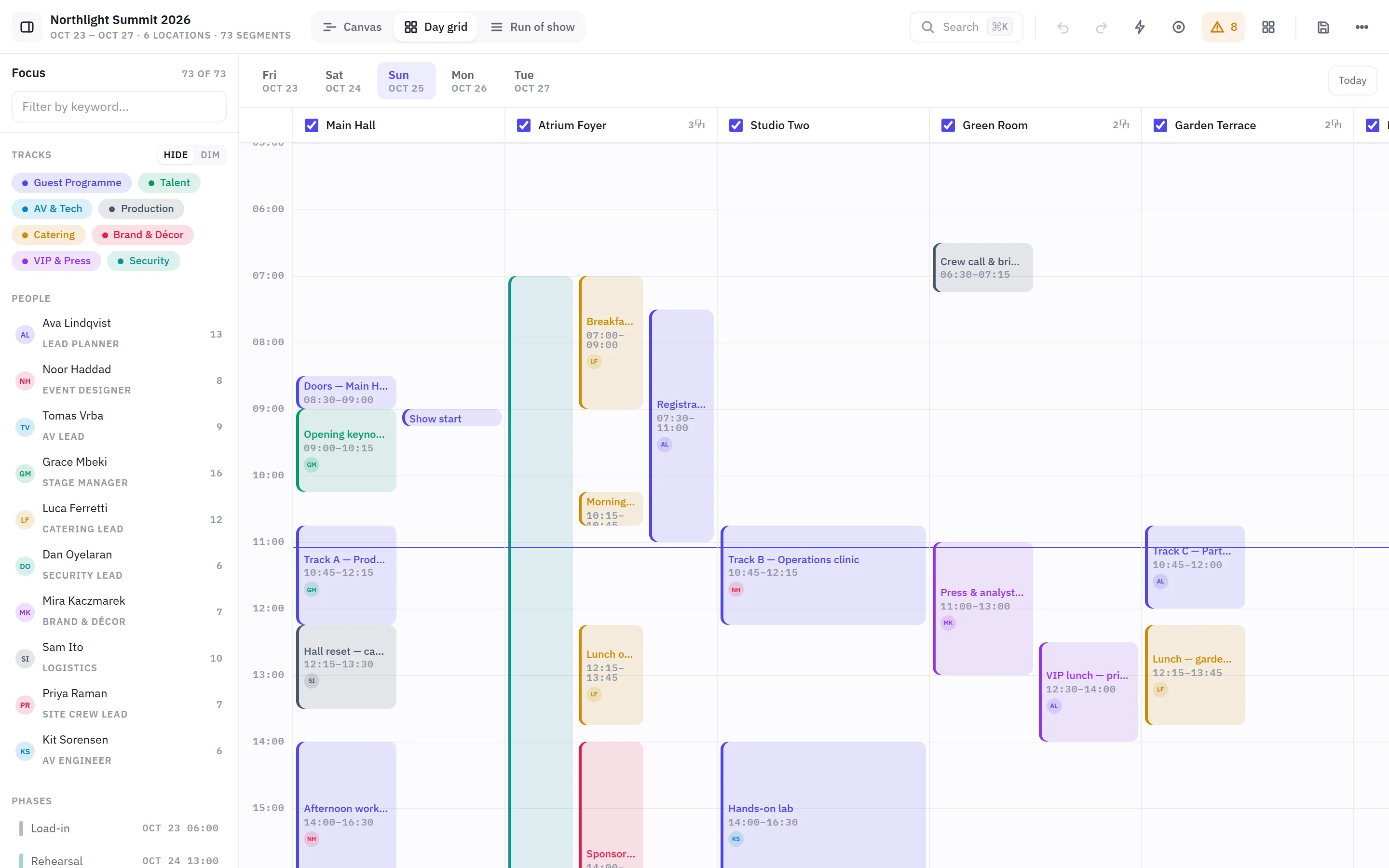
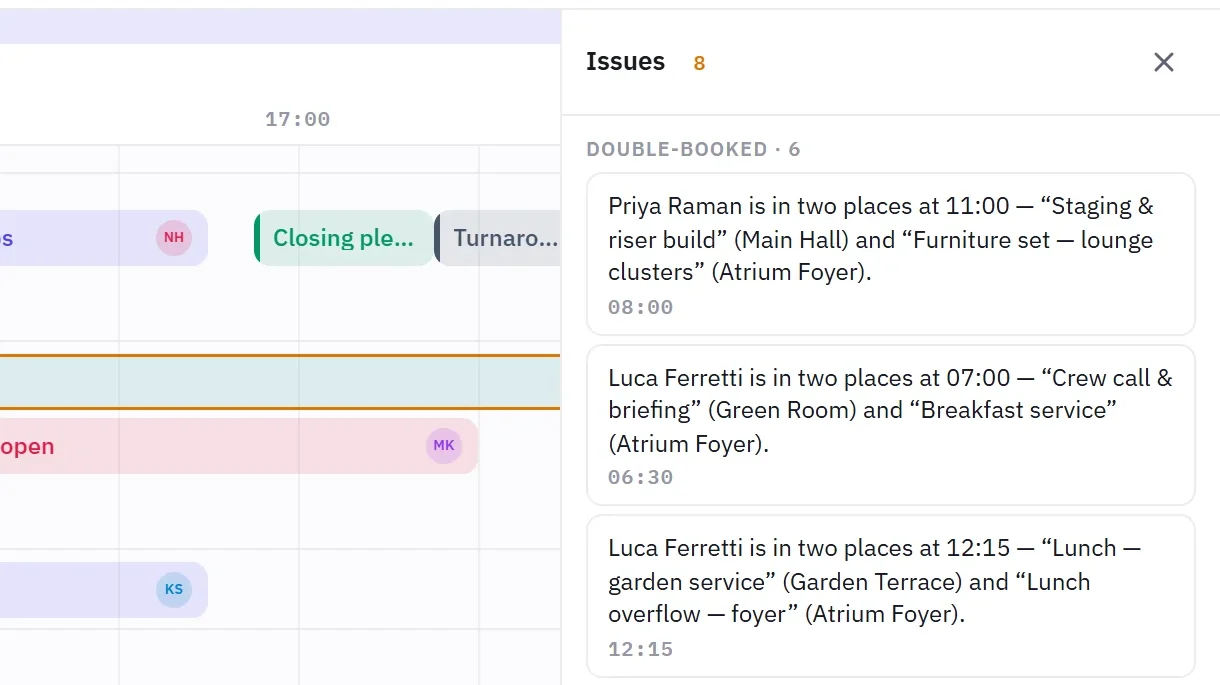
The same data also shows as a day grid with rooms as columns and a printable run of show. An issues list flags people booked in two places, clashing programme items, broken dependencies and items outside their phase, and a click flies you to each one.
Inside
How it looks in use.
- Role
- Sole designer, developer and owner
- Built with
- React, TypeScript, Vite, Zustand
- Runs
- In the browser, saves locally, imports and exports JSON
- Status
- Working prototype, shown on request
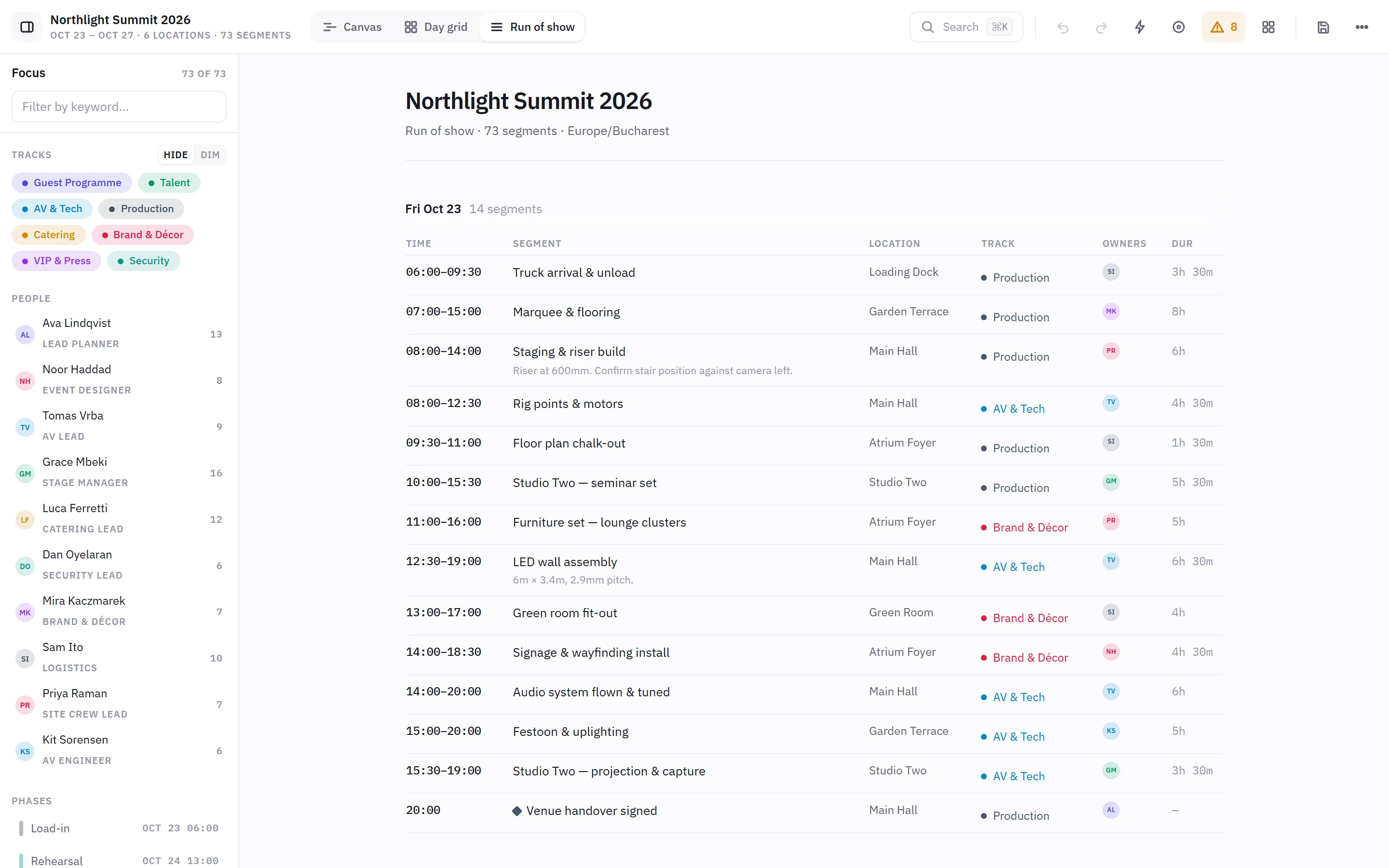
Up close
The details that carry it.
Decisions that mattered
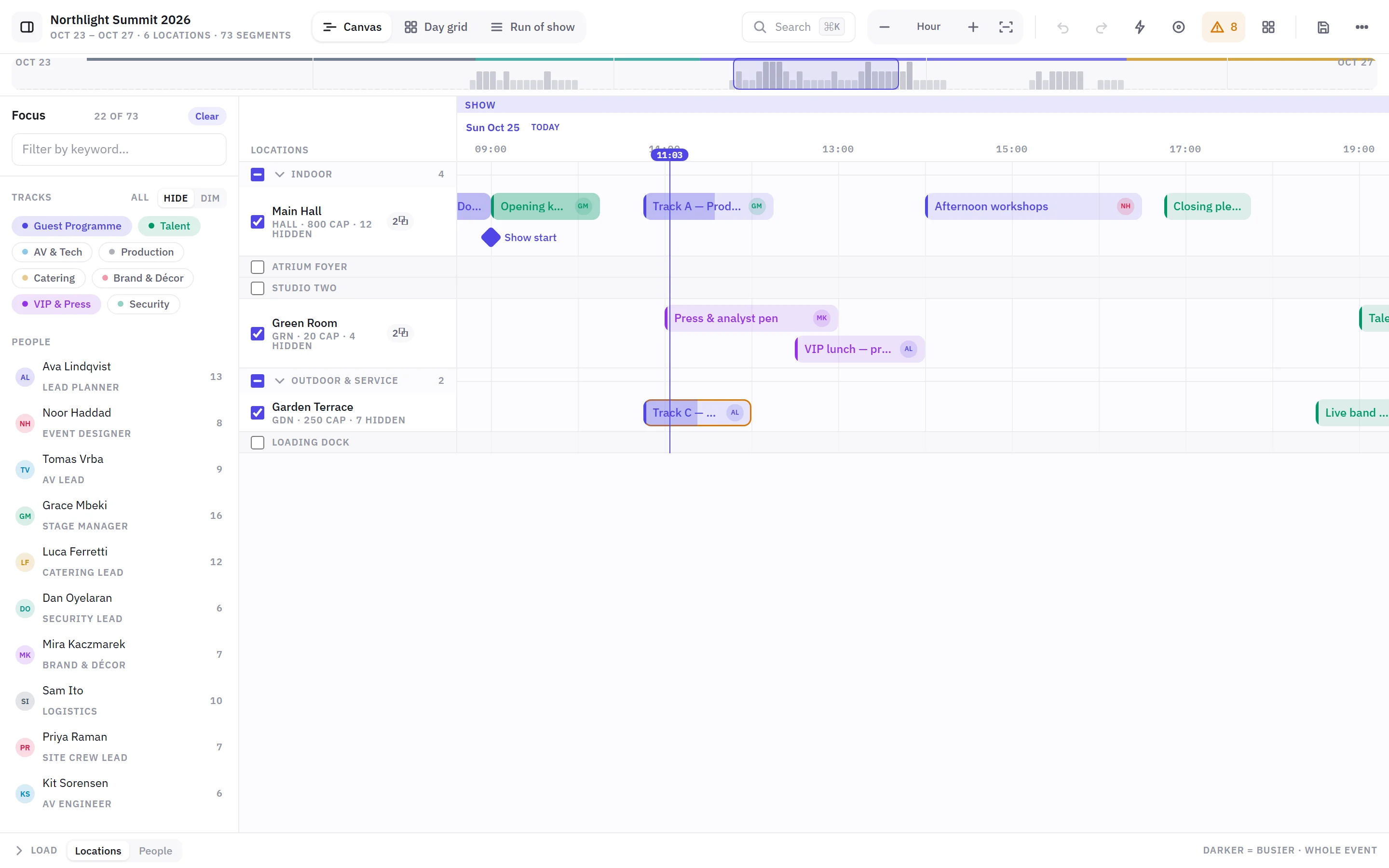
- Hide a room without losing itUnchecking a location collapses it to a thin stub instead of removing it, so nothing below jumps and it's one click from coming back.
- Filters are a linkRooms, tracks, people and phases compose, and they live in the URL, so "AV team, day two, main hall and garden" is something you can send.
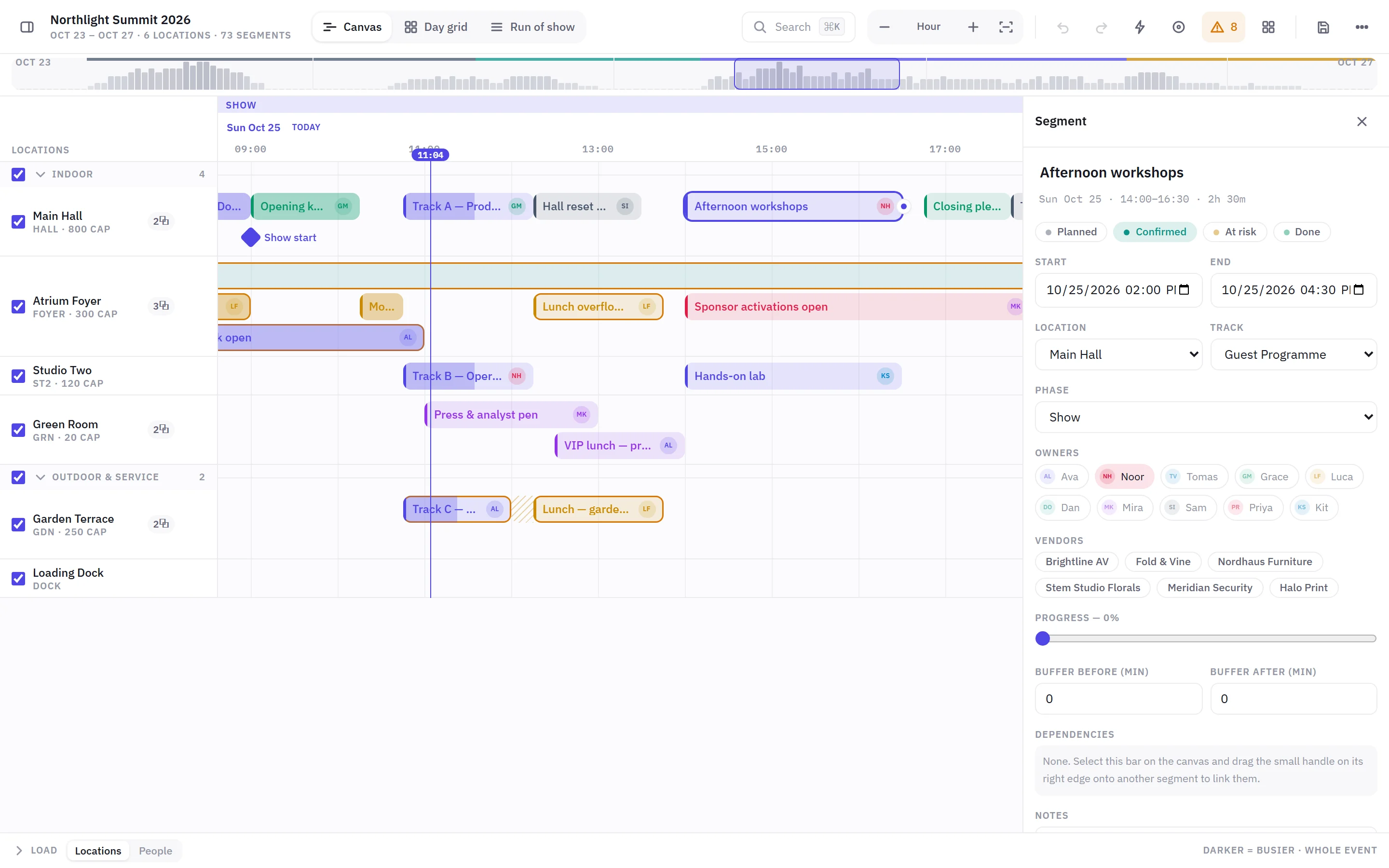
- A quiet canvasDependency arrows only appear for the selected item's chain and for links that are actually broken, and an undo scrolls to what it changed instead of changing something off-screen.
What I learned
Planners don't want less information, they want to choose how much of it they see. The hard part was making every way of narrowing the view reversible and visible, so focus never feels like losing something.
Something similar in mind?